How to Troubleshoot a Vision Fitness Treadmill: A Complete Diagnostic Guide
Is your Vision Fitness treadmill not starting or stopping during workouts? These are clear signs of specific faults, such as a power supply failure, worn drive motor brushes, speed sensor misalignment, or a motor control board problem.
Common symptoms, such as the treadmill not starting or the running belt stopping mid-workout, are directly linked to individual components rather than a full system failure. Identifying the exact symptom is the fastest way to pinpoint the faulty part and avoid unnecessary replacements.
This blog explains treadmill operation, identifies common faults by symptom, and offers a structured step-by-step troubleshooting process to help you diagnose and fix issues accurately and efficiently.
Understanding How a Vision Fitness Treadmill Works
A Vision Fitness treadmill works by using a motor to move the running belt, allowing users to walk, jog, or run at a controlled speed. It also includes an incline system that adjusts the deck angle to increase workout intensity.
All settings are controlled through the console, which lets users change speed, incline, and track workout data. The following components play an important role in the operation of a treadmill.
-
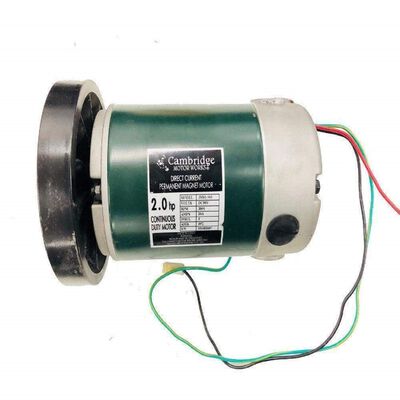
Drive Motor: The drive motor is responsible for moving the running belt. It helps maintain a steady speed throughout the workout, whether walking or running.
-
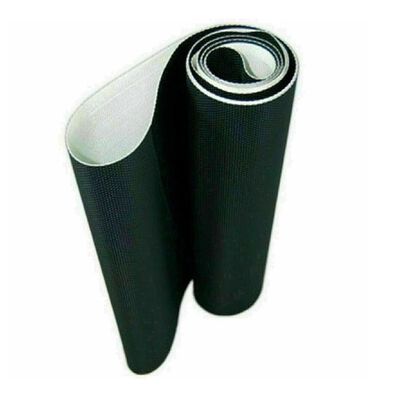
Running Belt and Deck: The running belt is the surface you walk or run on, while the deck supports the belt underneath. Together, they provide a stable and comfortable workout area.
-
Incline System: The incline system changes the angle of the treadmill deck. Increasing the incline can make workouts more challenging and help target different muscle groups.
-
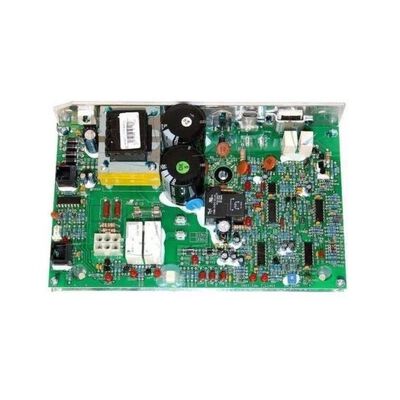
Motor Control Board: This component manages how the treadmill responds to speed and incline adjustments made via the console.
-
Speed Sensor: The speed sensor monitors belt movement and helps ensure the treadmill runs at the selected speed.
Shop Vision Fitness replacement parts at WholeToolBox to keep your equipment performing at its best. We offer drive motors, control boards, running belts, rear roller sets, power cords & more designed for durability.
Most Common Vision Fitness Treadmill Problems and Their Causes
Treadmills may develop operational issues over time due to electrical faults, mechanical wear, or sensor failures. Below are the most common problems explained as standalone diagnostic entries.
Treadmill Not Starting or No Power Issue in Vision Fitness Units
A Vision Fitness Treadmill not turning on is one of the most common issues reported by users and typically indicates a problem within the electrical supply system or internal power components.
-
Cause: This issue is commonly caused by a faulty outlet, damaged power cord, blown internal fuse, or a failed motor control board preventing power distribution.
-
Impact: The treadmill remains completely non-functional with no display or belt movement, leading to full equipment downtime.
Sudden Belt Stop During Operation on Vision Fitness Treadmills
A treadmill belt that stops abruptly during use indicates an overload condition or motor protection shutdown in the system.
-
Cause: Common causes include an overheated drive motor, worn motor brushes, excessive deck friction, or motor control board failure, triggering a safety shutdown.
-
Impact: Workout sessions are interrupted instantly, and the treadmill may indicate internal mechanical or electrical stress.
Speed Fluctuation or Unstable Belt Movement in Vision Fitness Equipment
Inconsistent running speed occurs when the treadmill cannot maintain proper communication between motor output and speed feedback systems. Certain Vision Fitness treadmill error codes may also appear when speed feedback becomes inaccurate.
-
Cause: This issue is typically caused by a misaligned or dirty speed sensor, slipping drive belt, weak motor performance, or unstable control board calibration.
-
Impact: Users experience uneven speed control, reduced workout accuracy, and unstable treadmill performance.
Incline System Failure or Stuck Position in Vision Fitness Treadmills
Incline malfunction occurs when the elevation system fails to respond or remains fixed at a single angle during operation. Performing a Vision Fitness treadmill reset may sometimes help clear temporary calibration faults.
-
Cause: This is commonly caused by a failed incline motor assembly, damaged position sensor, wiring harness issues, or motor control board output failure.
-
Impact: The treadmill loses elevation functionality, limiting workout intensity and reducing training variation.
Excessive Noise or Squeaking from Vision Fitness Treadmill Deck
Unusual noise during treadmill operation indicates mechanical friction, misalignment, or lack of lubrication in moving components. If ignored, the issue can progress until the Vision Fitness treadmill is not working properly during workouts.
-
Cause: This condition is commonly caused by a dry walking deck, worn belt surface, misaligned rollers, or insufficient lubrication.
-
Impact: The treadmill becomes noisy, less smooth, and may experience accelerated wear of mechanical components.
Console Unresponsive or Display Issues in Vision Fitness Treadmills
A treadmill console may become unresponsive or partially functional when internal communication between control components is disrupted.
-
Cause: This issue is commonly caused by loose console wiring, damaged communication cables, faulty keypad membrane, or motor control board signal failure.
-
Impact: User controls fail or respond inconsistently, preventing proper speed and incline adjustments.
Key Vision Fitness Treadmill Parts That Commonly Cause Performance Issues
The table below provides a breakdown of Vision Fitness treadmill parts, their performance-related issues, and typical causes of failure.
|
Part |
System Function |
Common Failure Symptoms |
Typical Issues |
|
Walking belt and treadmill deck |
Provides running surface and motion stability |
Slipping, squeaking, uneven movement |
Wear, misalignment, and lack of lubrication |
|
Drive motor and motor brushes |
Powers belt movement |
Sudden stops, weak speed, burning smell |
Worn brushes, overheating, and motor fatigue |
|
Motor control board |
Regulates power distribution |
No power, speed instability |
Electrical failure, overheating, burnt components |
|
Incline motor assembly |
Controls elevation changes |
Stuck on an incline, no response |
Motor failure, sensor issues |
|
Speed sensors |
Tracks belt speed feedback |
Speed fluctuations, error codes |
Dirt buildup, misalignment |
|
Drive belts and rollers |
Transfers motor force to the belt |
Slipping, jerky motion, noise |
Stretching, wear, bearing damage |
|
Console cables and wiring harness |
Connects control systems |
Unresponsive buttons, display errors |
Loose connections, wire damage |
How to Diagnose Vision Fitness Treadmill Issues Step by Step
To accurately identify and resolve treadmill issues, follow the step-by-step process below to isolate electrical, mechanical, and sensor-related faults efficiently.
Step 1: Shut Down and Verify Power Supply
Turn off and unplug the treadmill before inspection. Confirm the outlet is working and check the power cord for visible damage. Reconnect only after ensuring stable power input.
Step 2: Check Console Power and Error Response
Power on the treadmill and observe the console display. A blank screen indicates power or fuse issues, while error codes suggest motor, sensor, or incline system faults. Unresponsive controls usually point to wiring or communication failures.
Step 3: Inspect Safety Key and Console Connections
Ensure the safety key is properly inserted, as the treadmill will not operate without it. Inspect console cables and wiring harness connections for looseness, damage, or disconnection between the console and motor control board.
Step 4: Inspect Belt and Deck Condition
Check walking belt alignment, tension, and surface condition. A slipping, misaligned, or dry belt increases friction and may cause sudden stops, motor strain, or uneven speed performance.
Step 5: Test Motor, Sensors, and Drive Components
Run the treadmill at low speed and observe the operation. Look for motor hesitation, speed fluctuations, or unusual noise. Inspect the speed sensor alignment, drive belt condition, and roller smoothness for mechanical or feedback issues.
Step 6: Check Incline System and Motor Control Board
Test incline adjustment from the console. If the incline is unresponsive or erratic, inspect the incline motor, wiring, and gears. Evaluate the motor control board for visible damage, as it often causes multiple system failures.
Summary: Keeping Your Vision Fitness Treadmill Running Smoothly
Vision Fitness treadmill issues such as no power, belt stopping, speed fluctuations, or incline failure are usually caused by specific component-level faults rather than complete system breakdowns. Identifying the exact symptom early helps prevent further damage and reduces repair costs.
Key Takeaways
-
Most treadmill problems are linked to specific components, not full system failure
-
“No power” issues usually point to outlet, fuse, or control board faults
-
Sudden belt stops are commonly caused by motor strain or overload protection
-
Speed fluctuations are often due to sensor or belt alignment issues
-
Incline problems typically come from motor or wiring failures
-
Regular maintenance of the belt, rollers, and motor improves long-term performance
FAQs
How long does it take for a treadmill to reset?
A treadmill typically resets within 30 seconds to 2 minutes after being powered off and restarted. If it does not reset within this time, it may indicate an error, safety key issue, or control board fault.
Can you run a treadmill with a blown fuse?
No, a treadmill will not run with a blown fuse. The fuse cuts power to protect the motor and control board, so a blown fuse results in no power or no display until it is replaced.
How to reset the treadmill control board?
Turn off and unplug the treadmill, wait 1 to 2 minutes, then reconnect the safety key and restart the machine. Some models may also require a reset button or calibration mode from the console.
|
Disclaimer: This blog is for informational purposes only. Always follow the official manual or consult a qualified technician before performing any repairs. |