
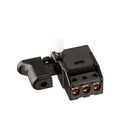
Metabo HPT - Hitachi 323612 Monitor (A)
Description
The Metabo HPT - Hitachi 323612 Monitor (A) helps maintain proper monitoring functions within compatible compound saw systems. Addressing display irregularities, signal interruptions, and connection faults can help restore reliable operation.
Common Issues:
• Monitor display remains blank during saw operation.
• Intermittent monitor readings or screen flickering.
• Delayed response from monitor controls.
• Monitor powers on but fails to display information.
• Loose wiring causing inconsistent monitor performance.
Blank Monitor Display
Quick Check: Verify monitor power connections and inspect wiring harnesses for secure attachment.
Fix Suggestion: Reconnect loose connectors and replace damaged wiring if necessary.
Prevention Tip: Periodically inspect electrical connections for wear or vibration-related loosening.
Flickering Screen
Quick Check: Check for unstable electrical connections between the monitor and saw system.
Fix Suggestion: Tighten connections and inspect the monitor assembly for damage.
Prevention Tip: Avoid exposing the saw to excessive vibration or impact during transport.
Slow Monitor Response
Quick Check: Examine connection points for dirt, corrosion, or poor contact.
Fix Suggestion: Clean terminals carefully and ensure all connections are firmly seated.
Prevention Tip: Keep the saw and monitor components free from dust accumulation.
Monitor Not Showing Data
Quick Check: Confirm the monitor is properly connected to compatible internal components.
Fix Suggestion: Inspect wiring paths and replace the monitor if internal failure is confirmed.
Prevention Tip: Follow manufacturer maintenance schedules and avoid electrical overload conditions.
Customer Experience: A contractor reported that replacing a loose monitor connection restored normal display operation immediately. Another user found that cleaning electrical contacts resolved intermittent screen performance issues.

Customer Reviews
No reviews yet. Be the first to write one!
Write a Review
We strive to provide our customers with a hassle-free and efficient shopping experience. Our shipping policy ensures the timely delivery of your orders and complete customer satisfaction. View More
We are committed to ensuring your complete satisfaction with every purchase. We understand that circumstances may arise where you must return a product or request a refund. If for any reason you are not satisfied, you may return the item(s) according to the terms outlined below. View More
This Payment Policy outlines the terms and conditions governing all payments made for products purchased through our website. By making a purchase, you agree to be bound by this Payment Policy. View More