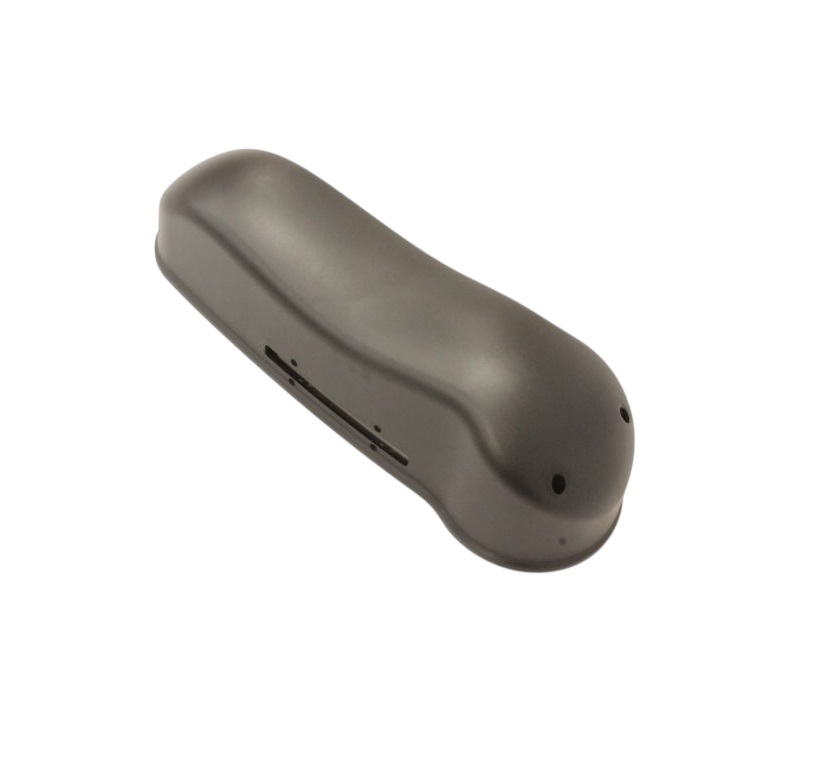
Powermatic PM9-PM2800-170 Drill Press Pulley Cover
Description
The Powermatic PM9-PM2800-170 Drill Press Pulley Cover is a protective enclosure designed for Powermatic PM2800 series drill press drive systems, ensuring operator safety while shielding the pulley and belt assembly from dust, debris, and accidental contact during operation.
Common Issues:
• Pulley belt exposed due to missing or cracked cover on PM2800 drill press.
• Excess dust buildup inside pulley housing affecting belt movement.
• Safety interlock issues caused by misaligned or loose pulley cover.
• Rattling noise from improperly secured PM9-PM2800-170 cover.
• Reduced protection leading to visible belt wear and contamination.
Loose Pulley Cover on PM2800 Drill Press
Quick Check: Inspect mounting screws and alignment of PM9-PM2800-170 cover.
Fix Suggestion: Re-seat cover and tighten fasteners evenly.
Prevention Tip: Check cover tightness after any belt or speed change adjustments.
Cracked or Broken Cover Housing
Quick Check: Look for stress fractures or impact damage on enclosure.
Fix Suggestion: Replace PM9-PM2800-170 pulley cover immediately for safety compliance.
Prevention Tip: Avoid impact tools near exposed drill press drive section.
Excess Dust Accumulation Inside Cover
Quick Check: Open cover and inspect belt and pulley area for debris buildup.
Fix Suggestion: Clean internal pulley area and ensure cover seals properly.
Prevention Tip: Maintain regular cleaning schedule in woodworking environments.
Cover Rattling During Operation
Quick Check: Observe vibration or movement while drill press is running.
Fix Suggestion: Tighten mounting points and verify correct seating of cover tabs.
Prevention Tip: Ensure correct installation after maintenance or belt replacement.
Customer Experience: Users of Powermatic PM2800 drill presses report that replacing a damaged pulley cover significantly improves workplace safety and reduces dust exposure around the drive system during continuous workshop use.

Customer Reviews
No reviews yet. Be the first to write one!
Write a Review
We strive to provide our customers with a hassle-free and efficient shopping experience. Our shipping policy ensures the timely delivery of your orders and complete customer satisfaction. View More
We are committed to ensuring your complete satisfaction with every purchase. We understand that circumstances may arise where you must return a product or request a refund. If for any reason you are not satisfied, you may return the item(s) according to the terms outlined below. View More
This Payment Policy outlines the terms and conditions governing all payments made for products purchased through our website. By making a purchase, you agree to be bound by this Payment Policy. View More