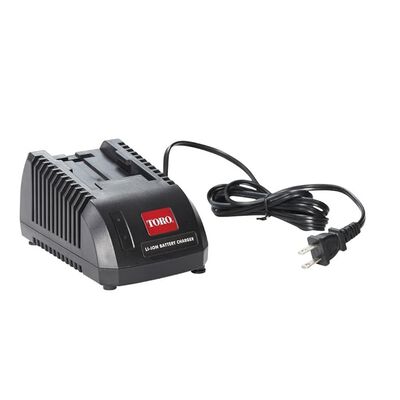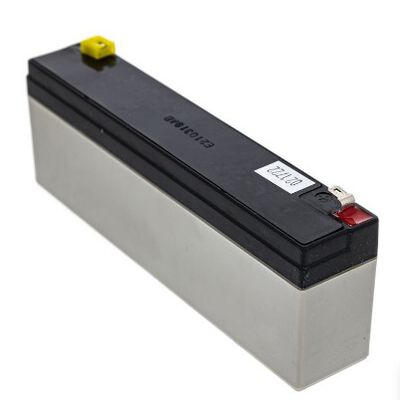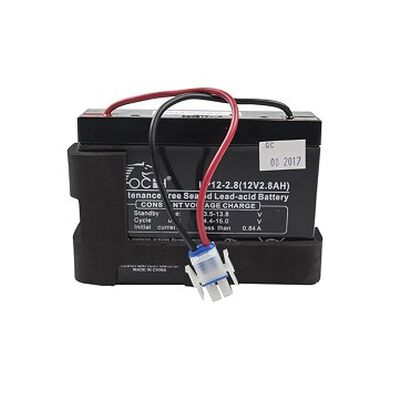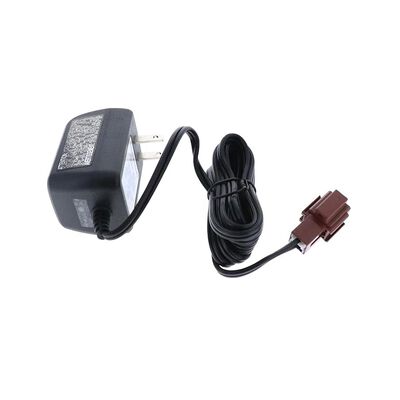
MTD 725-06121C Lawn Mower Battery Charger: Top Problems, Causes & Solutions
If your MTD 725-06121C battery charger is not powering on or not charging your lawn mower battery, the issue is usually related to two areas: the power side or the connection side. Power-side problems include a faulty outlet or damaged charger cable, while connection issues often involve corroded terminals, loose clamps, or a weak/dead lawn mower battery that cannot accept a charge.
This blog covers the most common MTD 725-06121C charger problems, including battery not charging, slow charging, overheating, and no output, along with their causes and fixes. You'll also learn how to identify whether the issue is in the charger or the battery and prevent future charging problems with simple maintenance steps.
| Table of Contents: What Is the MTD 725-06121C Battery Charger and How Does It Work? Top MTD 725-06121C Battery Charger Problems and Their Causes How to Troubleshoot and Fix MTD 725-06121C Charger Issues Maintenance Tips to Extend the Life of Your MTD 725-06121C Charger |
What Is the MTD 725-06121C Battery Charger and How Does It Work?
The MTD 725-06121C battery charger is a 12V smart charger designed for lawn mowers and outdoor power equipment with lead-acid batteries. It safely restores battery power by automatically adjusting the charging process based on battery condition.
How the MTD 725-06121C Battery Charger Works
The MTD 725-06121C automatically manages the charging process using an intelligent three-stage charging system, eliminating the need for manual monitoring, as shown in the table below.
| Charging Stage | Function | Benefit |
| Stage 1 – Bulk Charge | Delivers a higher charging rate to quickly restore approximately 70–80% of the battery's capacity. | Speeds up charging while efficiently recovering a discharged battery. |
| Stage 2 – Absorption Charge | Gradually reduces the charging current as the battery approaches full capacity. | Completes charging safely while minimizing heat buildup and battery stress. |
| Stage 3 – Float Mode | Automatically switches to a low-voltage maintenance charge after the battery is fully charged. | Keeps the battery at 100% charge for extended periods without overcharging, improving battery longevity. |
Shop lawn equipment parts at WholeToolBox. We offer high-quality lawn mower replacement parts like ignition switches, solenoids, starters, fuses, relays, and more to keep your equipment running efficiently.
Top MTD 725-06121C Battery Charger Problems and Their Causes
The table below summarizes the most common issues with the MTD 725-06121C charger, along with their likely causes and practical solutions:
| Problem | Possible Causes | Solution |
| Charger Not Powering On | Blown charger fuse | Reset the breaker or GFCI outlet |
| Damaged power cord or plug | Replace the damaged cord or fuse (if applicable) | |
| Internal charger failure | Replace the charger if it has an internal fault | |
| Battery Won't Charge | Deeply discharged or defective battery | Test the battery with a multimeter and replace it if necessary |
| Loose or dirty clamps/cables | Clean and tighten the battery connections | |
| Incorrect charger output or compatibility | Verify the charger matches the battery specifications | |
| Charger Gets Hot During Charging | Poor ventilation around the charger | Use the charger in a cool, well-ventilated area |
| High ambient temperature | Move the charger away from heat sources | |
| Extended charging time | Disconnect and allow the charger to cool before reuse | |
| Slow or Incomplete Charging | Charger output too low for the battery | Use the correct charger for the battery |
| Sulfated or low-capacity battery | Replace the worn or sulfated battery | |
| Thin or excessively long charging cables | Use a short, heavy-duty extension cord | |
| Loose or Damaged Charging Connector | Worn or broken clamps or cables | Replace damaged clamps or charging cables |
| Loose wire connections | Tighten all wire connections securely | |
| Bent or corroded terminals | Clean or replace the affected terminals | |
| Corroded Battery Terminals | Oxidation on battery posts | Clean the battery posts with a terminal cleaner or baking soda solution |
| Corrosion on clamp jaws | Clean the clamp jaws and ensure a secure connection | |
| Reduced electrical conductivity | Apply dielectric grease to help prevent future corrosion | |
| Faulty Outlet or Extension Cord | Outlet not supplying power | Test the charger with another working outlet |
| Tripped breaker or GFCI outlet | Reset the breaker or GFCI outlet | |
| Long or undersized extension cord | Replace it with a properly rated 12–14 AWG extension cord | |
| Old or Defective Battery | Battery has reached the end of its lifespan | Replace the battery with a new compatible model |
| Sulfated or damaged internal cells | Install a new battery if testing confirms failure | |
| Unable to hold or accept a full charge | Replace the battery after confirming it cannot retain a charge |
Find out how to diagnose and fix lawn mower blade issues like a pro with simple steps for fast, precise blade fixes.
How to Troubleshoot and Fix MTD 725-06121C Charger Issues
Below are the key steps for battery charger troubleshooting to identify and resolve common charging problems with the MTD 725-06121C charger.
-
Check the Power Source: Make sure the outlet is working by testing it with another device. Reset any tripped breakers or GFCI outlets. Also inspect the charger plug, cord, and any internal fuse (if present) for damage or failure.
-
Inspect Battery Connections: Ensure the red clamp is on the positive terminal and the black on the negative. Clean any corrosion on the terminals and tighten loose clamps, as poor contact can stop charging completely.
-
Test the Battery Condition: A deeply discharged or damaged battery may not accept a charge. Check voltage with a multimeter—very low readings may indicate battery failure. If possible, try charging a different 12V battery to confirm whether the issue is the charger or the battery.
-
Watch for Overheating: If the charger becomes unusually hot, disconnect it and allow it to cool. Always use it in a ventilated area. Continuous overheating may indicate internal charger failure.
-
Review Charging Speed and Setup: Slow charging can result from an aging battery or use of unsuitable extension cords. Use a properly rated, heavy-duty cord and ensure the charger matches 12V lead-acid battery requirements.
-
Check Outlet and Wiring Issues: If performance is inconsistent, try a different outlet. Faulty or undersized extension cords can also reduce power delivery.
-
Consider Replacement if Needed: If both the battery and charger work correctly in separate tests but the issue persists, the charger may be faulty. In many cases, replacing either the charger or a worn-out battery resolves the problem permanently.
Maintenance Tips to Extend the Life of Your MTD 725-06121C Charger
The following maintenance tips will help extend the life and performance of your MTD 725-06121C lawn mower charger.
-
Keep It Clean and Dry: Clean the charger and cables regularly to remove dust and oil. Store it in a dry indoor space and keep it away from moisture and extreme temperatures.
-
Inspect Cables and Clamps: Check cords and clamps for damage or corrosion. Clean battery terminals and connectors to maintain a solid connection. Replace worn parts to ensure safe charging.
-
Use Proper Extension Cords: If needed, use a short, heavy-duty extension cord (12–14 AWG). Avoid wet areas and don't tightly coil cords during use.
-
Follow Correct Charging Practices: Connect to the battery first, then plug into power. Unplug power before removing clamps. Use float mode during storage but check the battery periodically.
-
Maintain the Battery as Well: Keep the battery clean and fully charged during storage to reduce strain on the charger and extend overall system life.
Summary: Keep Your MTD 725-06121C Battery Charger Performing at Its Best
The MTD 725-06121C battery charger delivers better charging when properly maintained. Regular battery charger troubleshooting helps prevent common charging issues and extends charger life. Using genuine MTD lawn mower parts also ensures dependable performance and longer-lasting equipment.
Key Takeaways
-
Delivers a safe, controlled 12V charge for electric-start lawn mower batteries.
-
Helps identify common charging problems such as faulty outlets, loose connections, and battery failure.
-
Simplifies troubleshooting by separating charger issues from battery-related faults.
-
Prevents damage by addressing overheating, corrosion, and worn charging cables early.
-
Extends the lifespan of both the charger and battery through regular maintenance and proper charging practices.
-
Improves lawn mower reliability by ensuring the battery remains fully charged and ready for use.
FAQs
Why is my MTD 725-06121C battery charger not charging my lawn mower battery?
The charger may not charge due to a faulty outlet, damaged charger, loose connections, dirty battery terminals, or a dead battery that can no longer accept a charge.
How can I tell if my MTD 725-06121C charger is bad?
A faulty charger may have no indicator light, produce no output voltage, or fail to charge a known-good battery. A multimeter test can confirm the issue.
Can a dead lawn mower battery damage the MTD 725-06121C charger?
A dead battery typically won't harm the charger, but a battery with an internal short or severe damage can put extra strain on it.
How long does it take the MTD 725-06121C battery charger to fully charge a 12V lawn mower battery?
Most 12V lawn mower batteries take around 6 to 12 hours to charge fully, depending on their capacity and current charge level.
Is the MTD 725-06121C charger compatible with older MTD battery charger models?
It may be compatible with some older models, provided the voltage, battery type, and connector match the original charger specifications.
Disclaimer: This content is for informational purposes only. Always follow the manufacturer's instructions and safety guidelines.